 Atlas Documentation
IP Whitelisting
Restrict Atlas API access to specific IP addresses by configuring IP whitelisting in your Atlas dashboard.
IP whitelisting is a security measure that restricts access to a system or network by allowing requests only from approved IP addresses.
It lets you:
- Limit which IP addresses can call Atlas APIs on your behalf
- Restrict your webhook endpoint to accept requests only from Atlas IPs
IP whitelisting complements (not replaces) API key auth and webhook verification. Keep all three for layered security.
When to use IP whitelisting
- Your backend has static egress IPs (via NAT gateway, load balancer, or dedicated server).
- You want extra assurance that a leaked API key alone can’t be used from the open internet.
- You want your webhook endpoint to accept requests only from Atlas (in addition to verifying the transaction).
Whitelisting IP addresses
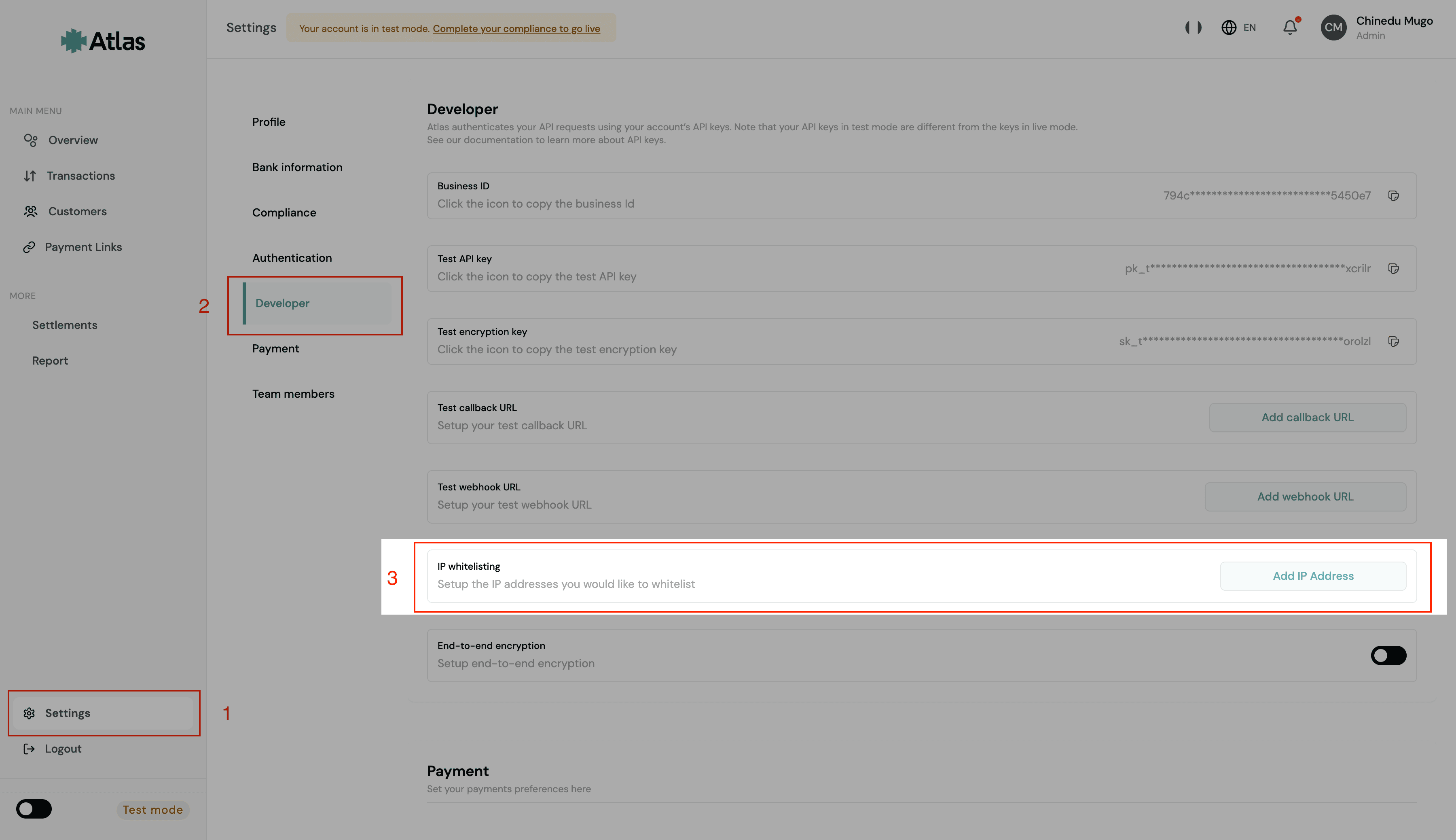
To add an IP address to your allowlist, navigate to Settings -> Developers -> Add IP address.
Note
If your infrastructure uses dynamic IPs (for example, serverless platforms without a fixed NAT gateway), IP whitelisting may not be suitable.
Once enabled, any API request from an IP not on your allowlist will be rejected with a 403 Forbidden error. You can add or remove IP addresses at any time from the settings page.
How is this guide?
Last updated on
Configure and Verify Webhooks
Set up webhook endpoints to receive real-time notifications from Atlas for inflow and outflow events, verify webhook signatures, handle duplicate events, and process payout state transitions.
Encrypting Atlas Payloads
Encrypt API request payloads using AES-256-GCM with your encryption key for end-to-end security.