 Duplo Dashboard
Restrict Your API Key
Narrow what your key can do by restricting the IP addresses it accepts and requiring encrypted request bodies, and know the rate limit it runs under.
Two settings narrow what your API key can do, and both are optional. Set either from Settings › Developer API in Duplo Dashboard, the same menu you generate credentials from. A third limit, the request rate, is fixed and applies whether you configure anything or not.
You can save both settings before you have generated a key. They are held against your business and applied to the next key you generate.
Restricting by IP address
List the public addresses your integration calls from, and every other caller to the direct Spend API is turned away with a 403 and This IP address is not permitted to use this API key.
The setting is called IP Whitelist on the Developer API page. Open it, enter each address, and add them one at a time before saving. Up to 3 unique public IPv4 and IPv6 addresses are accepted. Private, loopback, link-local, reserved, and malformed addresses are rejected.
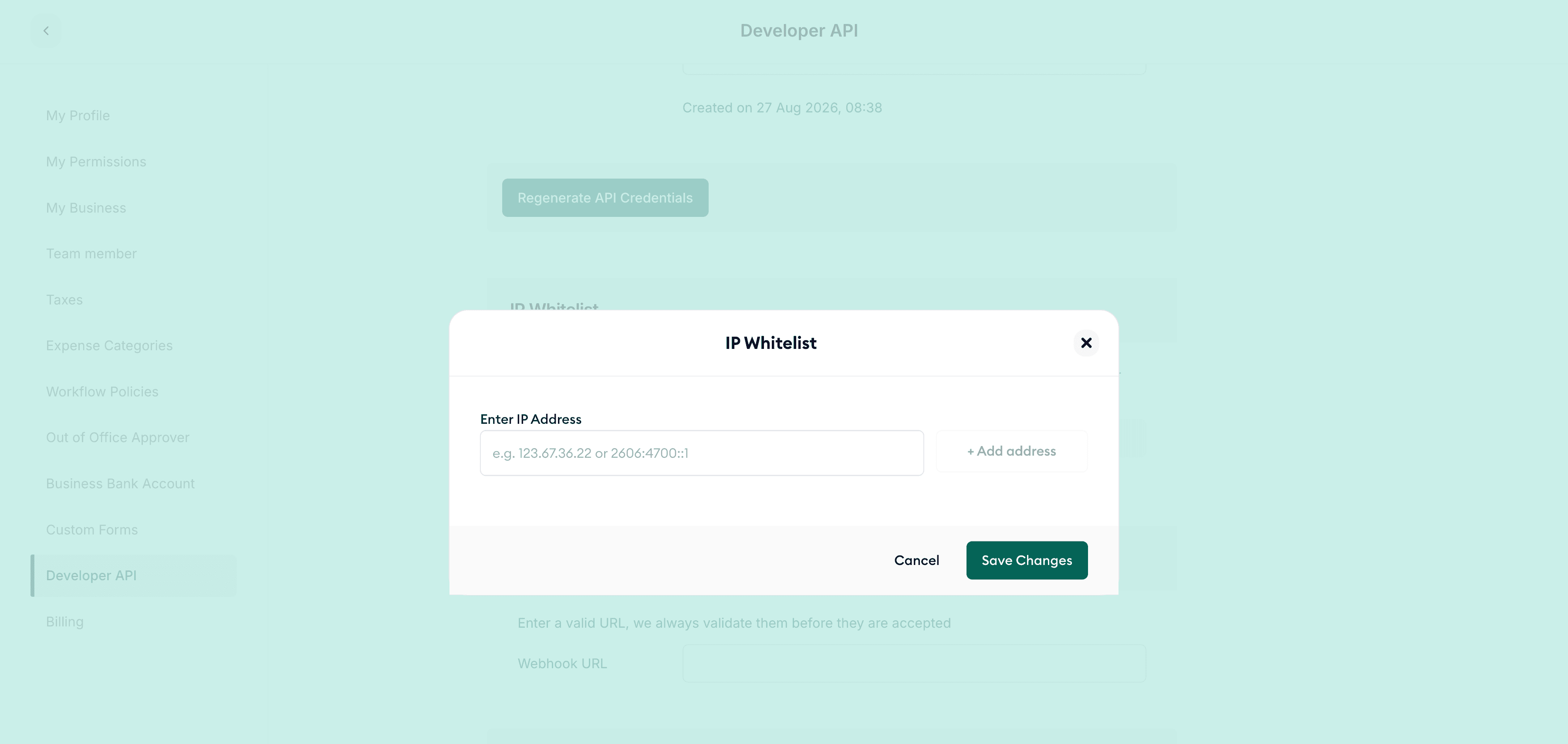
Leave the list empty, which is the default, and any address may use the key. Clearing a list you set earlier restores that. Addresses are compared in normalized form, so an IPv6 address saved in a different but equivalent notation still matches.
The allowlist belongs to the credential, not to your business, but it survives rotation: generating a new key carries the current list onto it.
Custom-domain Gateway routes are outside this enforcement
This behavior applies to direct Spend API requests authenticated with
Authorization: Bearer <apiKey>. The same credential setting does not
currently restrict https://<label>.invoice.tryduplo.com requests, which
authenticate with x-api-key; Gateway does not carry a trusted original
client IP into Spend authorization. See Gateway webhook and network settings.
A malformed allowlist reads as a bad key
If the stored allowlist is corrupt, the credential is rejected outright and
every call returns 401 Invalid API key rather than a 403. If a key that
worked yesterday starts returning 401, re-save the allowlist from the
dashboard before assuming the key itself is wrong.
Requiring encrypted request bodies
Turn field-level encryption on and every request body must arrive as an encrypted envelope rather than plain JSON. You can switch it on or off whenever you like without rotating the key, because the client secret key that encrypts the envelope is issued alongside the API key either way.
Encrypt your requests covers how to build the envelope and what the failures look like.
Rate limits
Rate limiting is not configurable: 100 requests per minute, counted per business per mode, on every endpoint. Test and live traffic are counted separately, so a test run cannot exhaust your live budget.
Exceeding the limit returns 429 and blocks the caller for a further 60 seconds. Back off rather than retrying straight into the wall, since retries during the block period extend nothing but your outage.
Related guides
How is this guide?
Last updated on